 Hạ Ping
Ping thấp nhất mà đường truyền của bạn cho phép The lowest ping your connection allows
Hạ Ping tìm và sửa những cài đặt trên máy tính làm ping tăng dần sau thời gian dài dùng máy, tạm dừng những thứ chiếm mạng khi bạn chơi, và cho bạn xem ping tới đúng máy chủ game đang kết nối. Ha Ping finds and fixes the PC settings that make ping creep up after long uptime, pauses what eats your bandwidth while you play, and shows ping to the exact server your game is connected to.
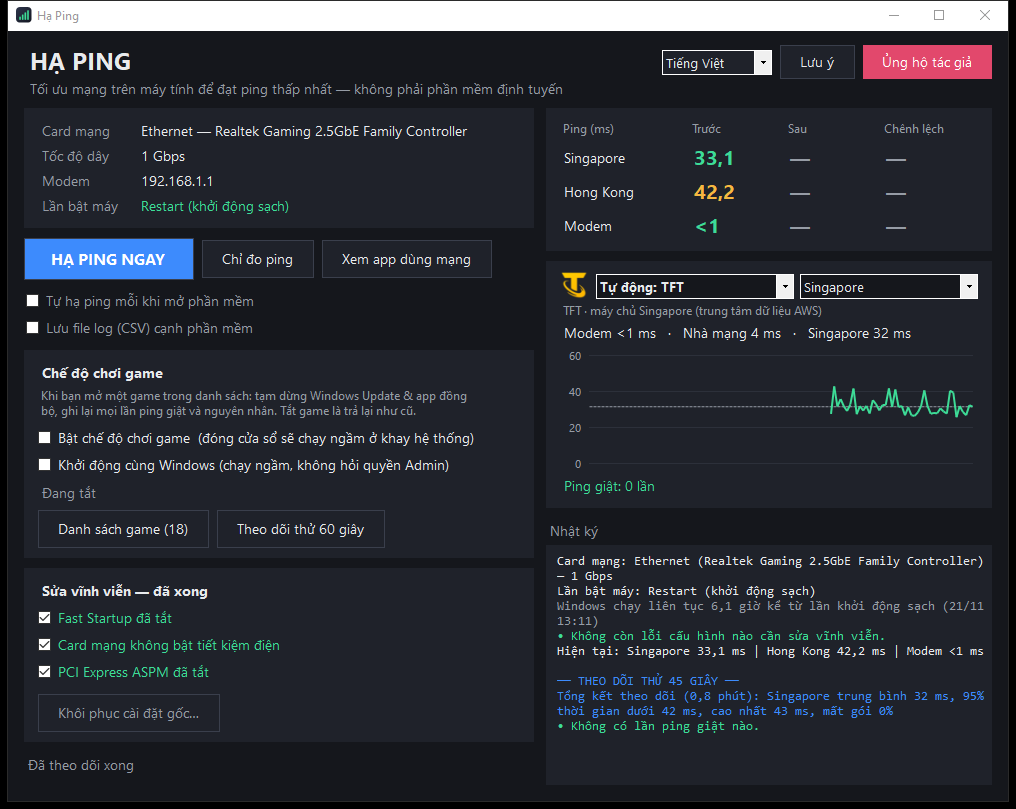
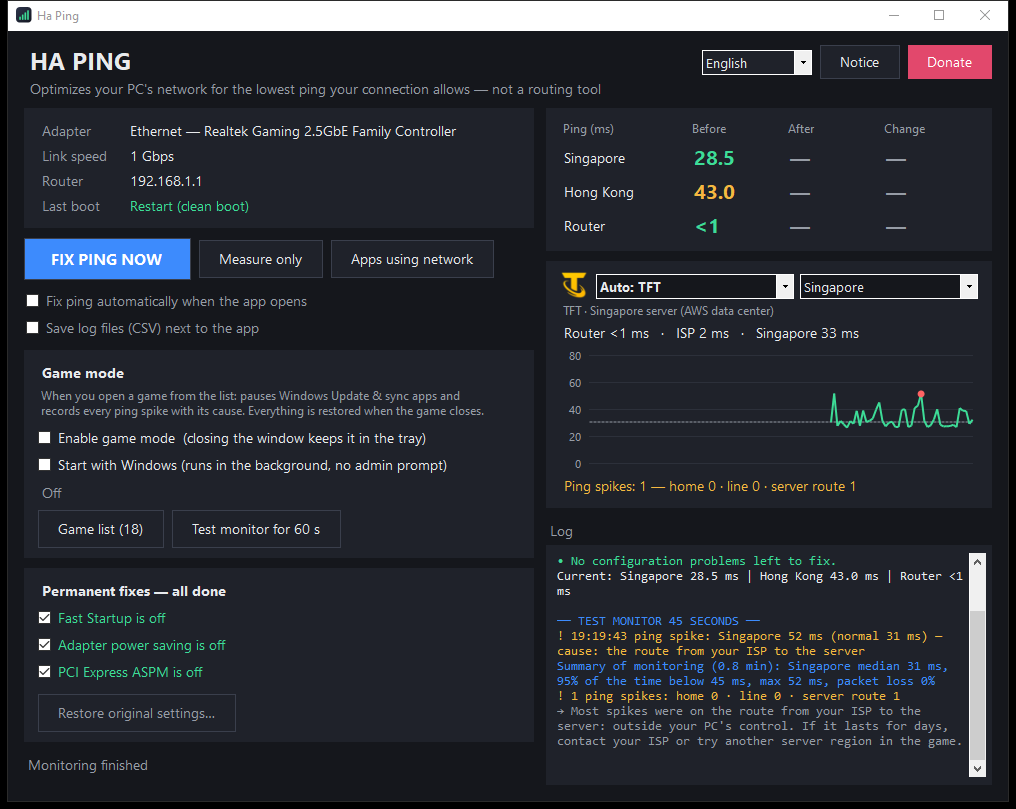
Một lần bấm, máy sạch như vừa khởi động lạiOne click, as clean as a fresh restart
Nguyên nhân thường gặp khiến ping cao hơn sau nhiều giờ dùng máy là Fast Startup, chế độ tiết kiệm điện của card mạng và những thứ tải ngầm. Hạ Ping xử lý tất cả mà không cần khởi động lại. Ping often climbs after hours of use because of Fast Startup, network adapter power saving and background downloads. Ha Ping deals with all of it without a reboot.
Hạ ping ngayFix ping now
Tạm dừng Windows Update, đóng app đồng bộ / torrent, xoá cache DNS / ARP và khởi động lại card mạng. Không cần khởi động lại máy.Pauses Windows Update, closes sync / torrent apps, clears DNS / ARP caches and restarts the network adapter. No reboot needed.
Sửa tận gốc, khôi phục đượcPermanent fixes, fully reversible
Tắt Fast Startup, tiết kiệm điện của card mạng (Green Ethernet, EEE…) và PCIe ASPM. Lưu giá trị cũ, có nút "Khôi phục cài đặt gốc".Turns off Fast Startup, adapter power saving (Green Ethernet, EEE…) and PCIe ASPM. Old values are saved, with a "Restore original settings" button.
Chế độ chơi gameGame mode
Chạy ngầm ở khay hệ thống, tự bật khi bạn mở game: tạm dừng tải ngầm suốt trận, tắt game là trả lại như cũ.Runs quietly in the tray and kicks in when you start a game: background downloads stay paused for the whole match and come back when you quit.
Ping tới đúng máy chủ gamePing to the real game server
Tự tìm máy chủ trận đấu mà game đang kết nối, hiện icon và tên game. Hoặc chọn Singapore, Hong Kong, Tokyo, Mumbai, Sydney.Finds the match server your game is connected to and shows the game's icon and name. Or pick Singapore, Hong Kong, Tokyo, Mumbai or Sydney.
Biết lỗi nằm ở đâuKnow where the lag is
Mỗi lần ping giật được phân loại: do máy / modem trong nhà, do đường truyền nhà mạng hay do tuyến tới máy chủ. Kèm gợi ý cách xử lý.Every spike is classified: your PC / router, your internet line, or the route to the server. With tips on what to do.
Nhẹ và riêng tưLightweight and private
Khoảng 50 MB RAM, dưới 0,3% CPU khi theo dõi; tự trả RAM khi chạy ngầm. Không quảng cáo, không thu thập dữ liệu. Tiếng Việt và tiếng Anh.About 50 MB RAM and under 0.3% CPU while monitoring; gives RAM back in the tray. No ads, no data collection. Vietnamese and English.
Dùng được cho mọi game onlineWorks with any online game
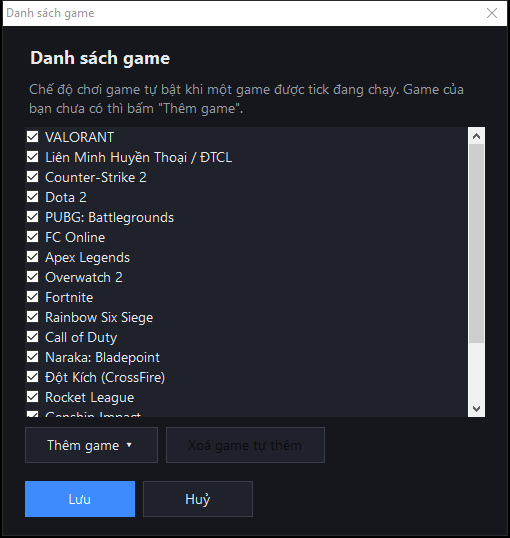
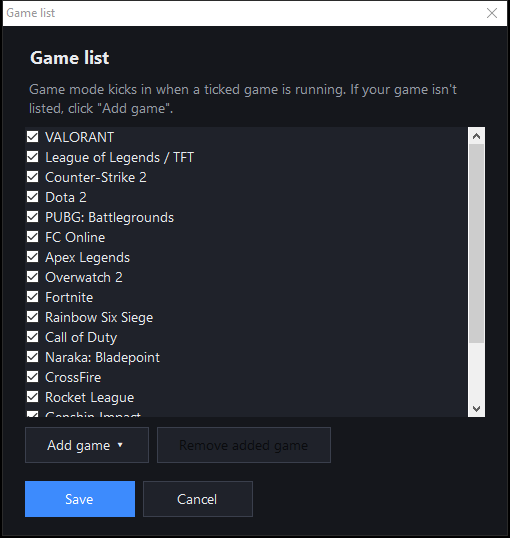
Có sẵn danh sách game phổ biến. Game khác: bấm "Danh sách game" → "Thêm game", chọn game đang mở hoặc chọn file .exe của game.Popular games are built in. Anything else: click "Game list" → "Add game" and pick the running game or its .exe file.
- VALORANT
- Liên Minh Huyền Thoại / ĐTCL
- League of Legends / TFT
- Counter-Strike 2
- Dota 2
- PUBG: Battlegrounds
- FC Online
- Apex Legends
- Overwatch 2
- Fortnite
- Rainbow Six Siege
- Call of Duty
- Naraka: Bladepoint
- Đột Kích
- CrossFire
- Rocket League
- Genshin Impact
- Roblox
- + game bất kỳ bạn tự thêm+ any game you add
Bắt đầu trong một phútUp and running in a minute
Không cần cài đặt. Yêu cầu Windows 10 hoặc 11 (có sẵn .NET Framework 4.8).No installation. Requires Windows 10 or 11 (.NET Framework 4.8 is built in).
- Tải file ZIP và giải nénDownload the ZIP and unzip it
Chuột phải vào file → Extract All… (Giải nén tất cả). Đừng chạy thẳng trong file ZIP.Right-click the file → Extract All…. Don't run it from inside the ZIP.
- Mở HaPing.exe, chọn "Yes" khi Windows hỏi quyền AdministratorRun HaPing.exe and click "Yes" when Windows asks for admin rights
Phần mềm cần quyền Admin để đổi cài đặt mạng và khởi động lại card mạng.Admin rights are needed to change network settings and restart the adapter.
- Nếu thấy "Windows protected your PC"If you see "Windows protected your PC"
Bấm More info (Thông tin bổ sung) → Run anyway (Vẫn chạy). Cảnh báo này hiện vì phần mềm chưa có chữ ký số.Click More info → Run anyway. The warning appears because the app isn't code-signed.
- Đọc và đồng ý Điều khoản sử dụngRead and accept the Terms of use
Chỉ hiện ở lần mở đầu tiên.Shown only the first time you run it.
- Bấm "Áp dụng sửa vĩnh viễn" nếu có dòng màu vàngClick "Apply permanent fixes" if anything shows in yellow
Chỉ cần làm một lần. Muốn đưa về như cũ thì bấm "Khôi phục cài đặt gốc".Only needed once. To undo, click "Restore original settings".
- Bật "Chế độ chơi game"Turn on "Game mode"
Kiểm tra game của bạn có trong "Danh sách game". Bật thêm "Khởi động cùng Windows" nếu muốn phần mềm luôn sẵn sàng.Make sure your game is in the "Game list". Turn on "Start with Windows" to keep it ready at all times.
Câu hỏi thường gặpFrequently asked questions
Hạ Ping có giảm ping như ExitLag không?Does Ha Ping lower ping like ExitLag?
Không. ExitLag, NoPing… đổi đường đi của dữ liệu. Hạ Ping tối ưu chính máy tính của bạn: sửa các cài đặt làm tăng độ trễ và tạm dừng những thứ chiếm mạng. Nếu ping cao do nhà mạng hoặc tuyến quốc tế, Hạ Ping không giảm được, nhưng biểu đồ sẽ cho bạn biết lỗi nằm ở đâu.No. ExitLag, NoPing… change the route your data takes. Ha Ping optimizes your own PC: it fixes settings that add latency and pauses what eats bandwidth. If high ping comes from your ISP or the international route, Ha Ping can't lower it, but the chart tells you where the problem is.
Vì sao Windows hoặc trình duyệt cảnh báo khi tải / mở?Why do Windows or my browser show a warning?
Phần mềm chưa có chữ ký số (chứng chỉ ký code khá đắt) và cần quyền Admin, nên Windows SmartScreen và một số phần mềm diệt virus có thể cảnh báo nhầm. Hạ Ping không chứa mã độc; bạn có thể so mã SHA-256 ở mục Hướng dẫn để chắc chắn file không bị chỉnh sửa.The app isn't code-signed (signing certificates are expensive) and it needs admin rights, so Windows SmartScreen and some antivirus tools may flag it by mistake. Ha Ping contains no malware; compare the SHA-256 in the How to use section to be sure the file hasn't been modified.
Phần mềm có can thiệp vào game không?Does it touch the game?
Không. Hạ Ping không đọc, ghi hay chèn vào bộ nhớ và dữ liệu của game. Phần mềm chỉ đổi cài đặt Windows / card mạng, xem game đang kết nối tới địa chỉ nào và đo ping.No. Ha Ping does not read, write or inject into game memory or game data. It only changes Windows / network adapter settings, looks at which address the game connects to, and measures ping.
Vì sao ping trên biểu đồ khác ping trong game?Why is the chart's ping different from in-game ping?
Ping trong game thường cao hơn vài ms vì có thêm thời gian xử lý của máy chủ. Một số máy chủ game chặn ping: khi đó Hạ Ping đo tới router cuối cùng trên đường tới máy chủ, nên ping thật có thể cao hơn vài ms.In-game ping is usually a few ms higher because it includes server processing time. Some game servers block ping; Ha Ping then measures the last router on the way to the server, so real ping may be a few ms higher.
Gỡ phần mềm như thế nào?How do I uninstall it?
Hạ Ping không cài gì vào hệ thống. Nếu muốn trả cài đặt như cũ, bấm "Khôi phục cài đặt gốc"; tắt "Khởi động cùng Windows"; rồi xoá thư mục phần mềm.Ha Ping doesn't install anything. To put settings back, click "Restore original settings"; turn off "Start with Windows"; then delete the app's folder.
Máy cần cấu hình gì?What are the requirements?
Windows 10 hoặc 11, quyền Administrator. Tính năng tự tìm máy chủ game cần Windows 64-bit; trên Windows 32-bit biểu đồ đo theo khu vực bạn chọn. Màn hình nhỏ (1366×768) vẫn dùng tốt, cửa sổ tự thu gọn và cuộn được.Windows 10 or 11 and administrator rights. Auto game-server detection needs 64-bit Windows; on 32-bit the chart measures the region you pick. Small screens (1366×768) work too: the window fits and scrolls.
Phần mềm miễn phí — ủng hộ nếu bạn thấy hữu íchFree software — support it if it helps you
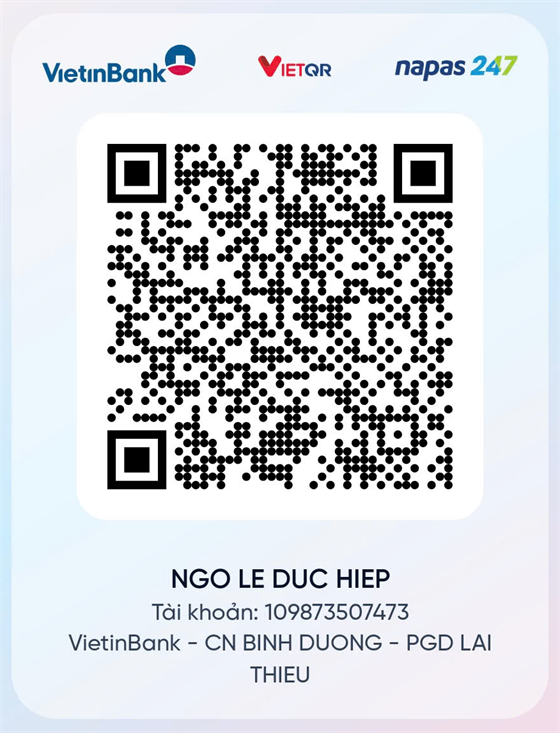
Quét mã VietQR bằng app ngân hàng hoặc chuyển khoản theo thông tin dưới đây. Ủng hộ là tự nguyện và không mở khoá thêm tính năng nào. Scan the VietQR code with a Vietnamese banking app or transfer using the details below. Donations are voluntary and don't unlock anything extra.
- Ngân hàngBank
- VietinBank
- Chủ tài khoảnAccount name
- NGO LE DUC HIEP
- Số tài khoảnAccount number
- 109873507473
Cảm ơn bạn rất nhiều!Thank you so much!
Điều khoản sử dụng (tóm tắt)Terms of use (summary)
Bản đầy đủ hiện trong phần mềm ở lần mở đầu tiên; bạn cần đồng ý trước khi sử dụng.The full text is shown in the app the first time you run it; you must accept it before use.
- Miễn phí: phần mềm hoàn toàn miễn phí; ủng hộ tác giả là tự nguyện.
- Free: the software is completely free; supporting the author is voluntary.
- Không thu thập thông tin: không gửi dữ liệu cá nhân đi đâu; kết nối ra ngoài duy nhất là các lần đo ping.
- No data collection: nothing personal is sent anywhere; the only outside connections are ping measurements.
- Không chứa mã độc: không virus, quảng cáo, phần mềm gián điệp hay đào tiền ảo. Chỉ tải từ nguồn chính thức.
- No malware: no viruses, ads, spyware or crypto miners. Only download from the official source.
- Bản quyền: thuộc NGO LE DUC HIEP. Được chia sẻ miễn phí bản gốc nguyên vẹn. Nghiêm cấm sao chép, chỉnh sửa, dịch ngược, đóng gói lại, bán hoặc thu phí khi chưa được tác giả đồng ý; người vi phạm tự chịu trách nhiệm trước pháp luật.
- Copyright: NGO LE DUC HIEP. You may share the original, unmodified copy for free. Copying, modifying, decompiling, repackaging, selling or charging for it without permission is prohibited; violators are responsible under the law.
- Miễn trừ trách nhiệm: cung cấp nguyên trạng, không kèm bảo hành; người dùng tự chịu trách nhiệm khi sử dụng.
- Disclaimer: provided as is, without warranty; you use it at your own risk.